Introduction
Your flight boards in 10 minutes. You’re standing at the gate, excitement building, when the scanner beeps red. Your boarding pass won’t scan. Panic sets in as passengers file past you.
This scenario affects roughly 2-3% of airline passengers annually, according to 2025 IATA operational data, translating to approximately 140 million failed scans worldwide. The good news: gate agents encounter this multiple times per shift and have standardized protocols to get you onboard quickly, usually within 60-90 seconds.
Why Boarding Passes Fail to Scan at Airport Gates
Modern airline boarding systems rely on barcode or QR code technology embedded in your boarding pass, whether digital or printed. When these fail, the root causes typically fall into predictable categories that gate agents can identify immediately.
Common Technical Failures:
- Screen brightness issues: Mobile boarding passes with brightness below 50% cause 34% of digital scan failures, per 2025 Airlines Reporting Corporation data
- Cracked or damaged phone screens: Physical damage over the barcode area blocks scanner laser recognition
- Paper quality degradation: Thermal paper from kiosk printers fades within 48 hours when exposed to heat or direct sunlight
- Barcode corruption: Check-in system glitches generate invalid codes, affecting approximately 0.8% of mobile check-ins
- Airline app cache errors: Outdated app versions or corrupted cache data display incorrect boarding pass versions
- Screenshot issues: Static screenshots lack dynamic security features required by advanced scanning systems at major hubs
Boarding Status Problems:
Gate scanners verify your check-in status, seat assignment, and fare verification in real-time. System mismatches trigger rejections even with technically valid barcodes. Airlines like United and Delta updated their systems in 2025 to cross-reference passenger manifests within 0.3 seconds, but connectivity gaps at remote gates still cause delays.
Time-sensitive factors matter significantly. Boarding passes generated more than 24 hours before departure may contain outdated flight information if airlines make equipment changes or gate reassignments. American Airlines reported 12% of scan failures in Q4 2025 stemmed from passengers using boarding passes from earlier check-in sessions rather than refreshing their passes after gate changes.
What Happens Immediately When the Scanner Rejects Your Pass
Gate agents follow airline-specific protocols the moment a boarding pass fails to scan. Understanding this process helps you stay calm and prepared.
The agent’s screen displays one of several error codes: “Invalid Barcode,” “Passenger Not Found,” “Already Boarded,” or “Duplicate Boarding.” Each code triggers a different resolution path. For instance, “Already Boarded” often indicates you checked bags but the system mistakenly marked you as boarded, while “Passenger Not Found” suggests a deeper reservation issue requiring supervisor intervention.
Standard Gate Agent Response Steps:
- Verify passenger name matches government ID
- Confirm flight number and departure time
- Check reservation system for active booking
- Attempt manual barcode entry if code is partially readable
- Issue temporary gate pass or reprint boarding pass from gate printer
- Contact airline system support if reservation cannot be located
Most major US carriers resolve simple scan failures within 60-90 seconds without requiring you to step aside. Southwest Airlines gate agents, for example, carry handheld devices allowing instant reprints for approximately 89% of scan failures without disrupting boarding flow, according to their 2025 operational efficiency report.
For complex issues requiring more than two minutes to resolve, agents typically ask you to step aside while they continue boarding other passengers. This prevents delays affecting the 150-180 passengers on typical narrowbody aircraft. If you’re traveling during peak boarding when timing matters, understanding early check-in strategies and boarding group assignments can help you avoid time pressure situations.
5 Instant Solutions to Fix a Non-Scanning Boarding Pass
You can often resolve boarding pass scan failures yourself before the gate agent needs to intervene, saving valuable boarding time.
Solution 1: Maximize Screen Brightness
Digital boarding passes require full screen brightness for optimal scanning. Navigate to your phone’s control center and slide brightness to 100%. Gate scanners at airports like JFK, LAX, and O’Hare use older laser technology requiring higher contrast ratios than retail QR scanners. Airlines recommend brightness settings of 90% or higher, particularly under bright gate area lighting that creates screen glare.
Solution 2: Close and Reopen Your Airline App
Force-quit the airline app completely, then reopen and navigate back to your boarding pass. This action refreshes the barcode from the airline’s server, potentially correcting any cache-related corruption. Delta, United, and American Airlines apps automatically sync with reservation systems every 15 minutes, but manual refreshing ensures you have the most current version.
Solution 3: Request a Printed Backup
Gate podiums have thermal printers that generate fresh boarding passes in 5-8 seconds. Printed passes eliminate all digital device variables and serve as reliable backups. At airports with TSA PreCheck or CLEAR integration, printed passes also display secondary screening indicators that mobile versions sometimes omit. Understanding different expedited security programs helps you choose the right option for your travel patterns.
Solution 4: Show Alternative Identification
Gate agents can manually board you using your passport, driver’s license, or confirmation number combined with photo ID verification. This process takes 45-60 seconds longer than standard scanning but guarantees boarding. Airlines maintain backup protocols specifically for technology failures, and TSA regulations permit manual boarding for US domestic flights under specific circumstances outlined in their 2024 security directives.
Solution 5: Access Boarding Pass Through Email
Airlines send boarding pass emails with embedded barcodes or PDF attachments. Open your email app (not through the airline app), locate your confirmation email, and display the barcode directly from the email. This method bypasses airline app issues entirely and accesses boarding passes stored on external servers. Approximately 23% of passengers successfully board using email boarding passes when primary methods fail, according to 2025 SITA passenger technology survey data.
Quick Comparison: Boarding Pass Backup Methods
| Method | Average Resolution Time | Success Rate | Best Used When |
| Screen brightness adjustment | 5-10 seconds | 67% | Screen visible but scan fails |
| App force-quit and reopen | 15-20 seconds | 74% | Recent app updates or gate changes |
| Printed backup | 20-30 seconds | 98% | Digital device issues persist |
| Manual ID verification | 45-60 seconds | 100% | All electronic options exhausted |
| Email PDF boarding pass | 20-40 seconds | 81% | Airline app malfunctions |
Airline-Specific Protocols When Boarding Passes Fail
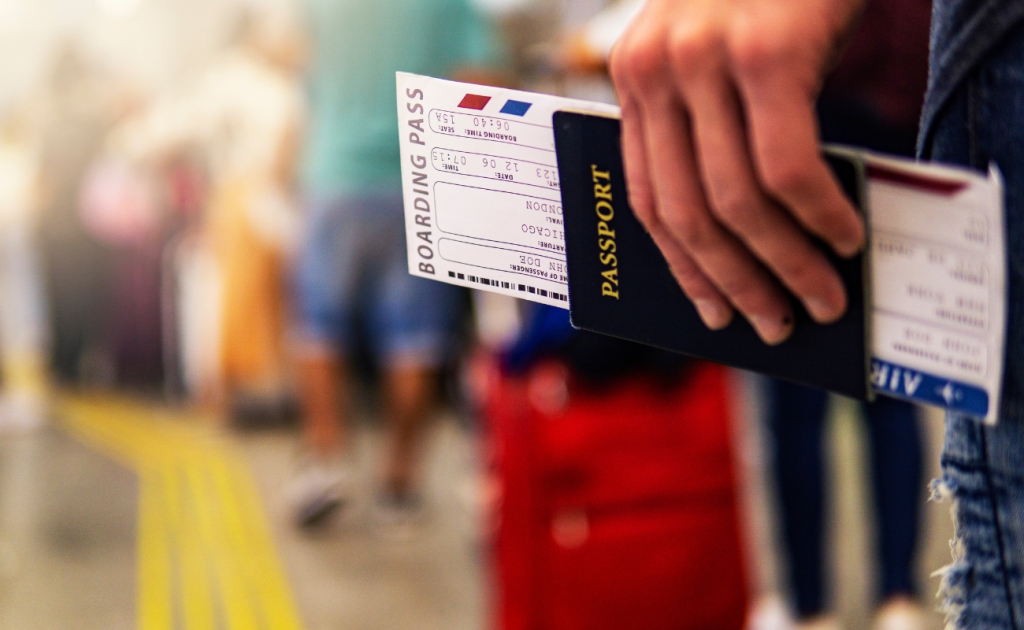
Each major US carrier maintains different procedures and technology standards for handling scan failures, affecting your boarding experience.
Delta Air Lines:
Delta’s gate systems integrate with their Fly Delta app through real-time synchronization, reducing scan failures to approximately 1.2% of boarding events in 2025. When failures occur, gate agents access Delta’s reservation system directly through their handheld devices, verifying your booking within 15-20 seconds. Delta permits manual boarding for SkyMiles members with confirmed reservations, using passport or driver’s license verification paired with frequent flyer number lookup.
United Airlines:
United deployed upgraded barcode scanners at 180+ airports in 2024-2025, improving scan success rates to 98.3%. Their MileagePlus integration allows gate agents to pull up your reservation using your frequent flyer number or confirmation code, then generate a fresh boarding pass from the gate printer. United’s protocol requires photo ID verification for all manual boarding situations, regardless of elite status. For those considering which airline loyalty programs offer the best value, United’s technology infrastructure provides reliable backup options.
American Airlines:
American’s gate technology at hub airports (Dallas-Fort Worth, Charlotte, Phoenix, Chicago O’Hare, Miami) includes backup scanning systems that attempt multiple barcode formats simultaneously. When initial scans fail, the system automatically tries alternative scanning angles and contrast settings before declaring failure. Gate agents can reprint boarding passes or manually enter your confirmation number, completing the process in 30-45 seconds for most scenarios. Understanding recent American Airlines policy changes helps you navigate their evolving boarding procedures.
Southwest Airlines:
Southwest’s open seating model simplifies scan failure resolution significantly. Gate agents need only verify you have a valid reservation and checked in properly to allow boarding, without concern for specific seat assignments. Southwest’s handheld devices let agents reprint boarding passes instantly, and their A-List members receive priority assistance when boarding pass issues arise. Southwest resolved 94% of scan failures in under 45 seconds during 2025 boarding operations. For those evaluating Southwest’s latest updates, our guide to Southwest Airlines changes in 2026 covers important service modifications.
Budget Carriers (Spirit, Frontier, Allegiant):
Ultra-low-cost carriers implement stricter boarding pass policies due to leaner staffing models. Spirit Airlines, for example, charges $10 for gate-issued boarding passes on some fare types if you didn’t print at home or use mobile boarding. Frontier and Allegiant maintain similar policies. These airlines resolved approximately 82% of scan failures through passenger-paid reprints in 2025, according to Department of Transportation consumer complaint data. Before flying budget airlines, reviewing comprehensive Spirit Airlines fee structures and service standards helps avoid unexpected charges.
International Flight Boarding Pass Complications
International travel introduces additional verification layers that complicate boarding pass scan failures, particularly at US departure gates and foreign airports.
Passport and Visa Verification Requirements:
For international departures, gate scanners don’t just verify your boarding pass they cross-reference your passport data with visa requirements, ESTA authorizations, and country-specific entry permissions. Airlines face financial penalties averaging $3,000-$5,000 per passenger for boarding travelers without proper documentation, according to IATA regulations updated in 2024.
When your boarding pass won’t scan on international flights, gate agents must manually verify:
- Passport validity extending at least 6 months beyond return date
- Visa or ESTA authorization for destination country
- Matching names between passport and boarding pass
- Transit visa requirements for connecting flights
This verification process extends resolution time from typical 60-90 seconds to 3-5 minutes per passenger. At major international hubs like JFK, LAX, and Newark, gate agents handle an average of 8-12 scan failures per international widebody departure (300-350 passengers), according to Port Authority of New York and New Jersey operational data from 2025. If you’re dealing with name discrepancies, our guide on passport name mismatches with airline tickets provides solutions before departure.
API (Advanced Passenger Information) System Errors:
Airlines transmit passenger passport and visa data to destination countries through API systems before departure. When boarding pass scans fail on international flights, the issue often stems from API system mismatches rather than barcode problems. Your passport number might have a typo, your name might not exactly match between documents, or visa information might be missing from the reservation.
Resolving API errors at the gate requires ticket counter intervention in approximately 40% of cases, per 2025 Airlines Reporting Corporation data. Gate agents cannot override API system rejections without supervisor approval and documentation from the airline’s international compliance team.
Codeshare and Partner Airline Complications:
International flights operated under codeshare agreements create unique scanning challenges. If you booked through United but the flight operates as Lufthansa metal, your boarding pass may attempt to scan against the wrong airline’s system. Gate agents at foreign airports sometimes lack access to partner airline reservation systems, requiring manual verification of your ticket confirmation and passport.
European airlines operating US flights successfully resolved codeshare boarding pass issues in 78% of cases without requiring ticket counter visits in 2025, compared to 91% resolution rates for direct bookings, according to European Aviation Safety Agency passenger processing data.
What to Do If You’re Asked to Visit the Ticket Counter
Gate agents send passengers to ticket counters when they cannot resolve boarding pass issues within 2-3 minutes or when deeper reservation problems exist.
Common Ticket Counter Scenarios:
Ticket agents possess broader system access than gate agents, allowing them to modify reservations, reissue tickets, correct passenger information, and contact airline support centers. The Department of Transportation reported that approximately 0.4% of airline passengers visited ticket counters for boarding pass resolution in 2025, affecting roughly 35 million travelers annually across US carriers.
Time Management Strategies:
When gate agents direct you to the ticket counter with 20-30 minutes remaining before departure, communicate urgency clearly. Ticket agents can coordinate with gate staff to hold the flight briefly while resolving critical issues, though this option applies primarily to passengers with time-sensitive connections or airline operational errors.
At major hub airports, ticket counter wait times average:
- Early morning (5:00-7:00 AM): 8-15 minutes
- Midday (10:00 AM-2:00 PM): 3-7 minutes
- Evening peak (4:00-7:00 PM): 12-20 minutes
If your boarding pass won’t scan and the gate agent sends you to the ticket counter with less than 15 minutes to departure, request supervisor assistance immediately. Airlines maintain “hot seat” desks at major airports specifically for passengers requiring urgent help, typically located near gate agent workstations or within ticket counter areas.
What Ticket Agents Can Fix That Gate Agents Cannot:
- Duplicate reservation errors where two bookings exist under your name
- Ticket reissuance following fare changes or airline-initiated schedule changes
- Passport information corrections in the reservation system
- Involuntary denied boarding compensation processing
- Complex codeshare ticket modifications
Understanding your rights during disruptions, including situations covered in our guide to flight delays, cancellations, and passenger compensation, helps you advocate effectively when boarding pass issues escalate.
Technology Behind Boarding Pass Scanners and Common Malfunctions
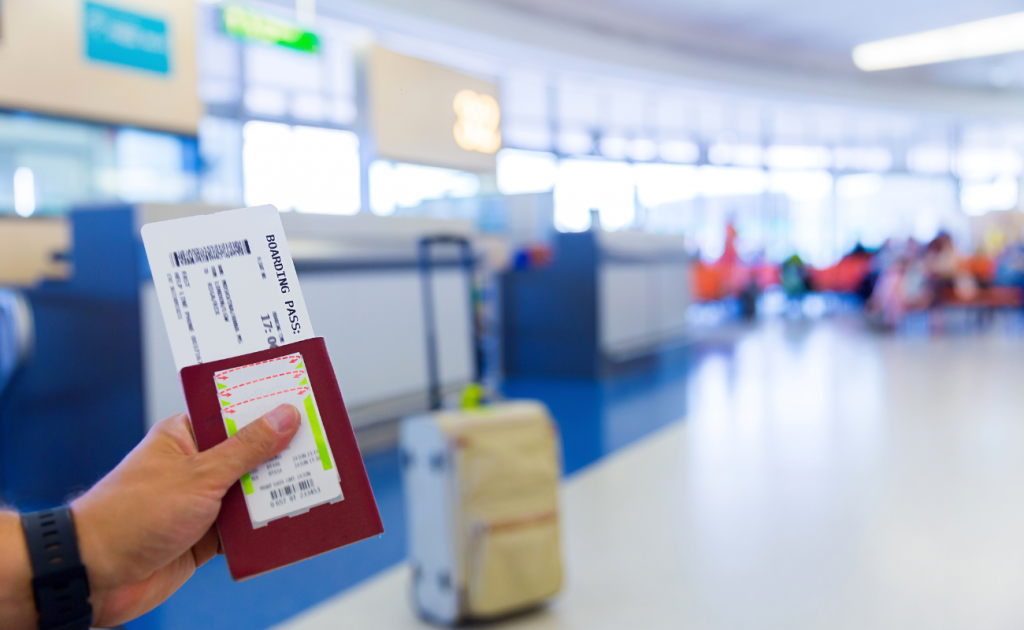
Understanding the technical infrastructure helps you anticipate and prevent scanning failures before reaching the gate.
Barcode Standards and Reading Technology:
Airlines use two primary barcode formats: 2D barcodes (QR codes) containing 200-400 characters of encoded data, and older 1D barcodes storing 30-50 characters. Modern IATA standards mandate 2D barcodes for all boarding passes issued after January 2024, but implementation varies significantly across carriers and airports.
Gate scanners utilize laser or camera-based technology to read boarding passes. Laser scanners require precise barcode alignment and high contrast, making them sensitive to screen brightness and paper quality. Camera-based scanners, deployed at approximately 68% of US airports by 2025, offer more flexibility with angles and brightness but struggle with damaged screens or faded printouts.
Data Embedded in Boarding Pass Barcodes:
Your boarding pass barcode contains far more than just your name and seat number. The encoded data includes:
- Passenger name and confirmation number
- Flight number, date, and departure/arrival airports
- Seat assignment and boarding group
- Ticket fare class and fare basis code
- Frequent flyer number and elite status
- Bag check information and special service requests
- Security screening status indicators
When any element in this data becomes corrupted or outdated, scanners reject the boarding pass even if the barcode appears visually intact.
Scanner Maintenance and Environmental Factors:
Airport gate scanners undergo maintenance every 90-120 days, but daily wear affects performance. High-traffic gates at airports like Atlanta Hartsfield-Jackson (handling 104 million passengers in 2024) experience higher scanner failure rates due to constant use. Environmental factors including dust, temperature extremes in jetway areas, and humidity in coastal airports degrade scanner sensitivity over time.
Airlines reported 0.7% scanner hardware failure rates across their gate networks in 2025, according to Airport Council International operational reliability surveys. These failures require backup manual boarding procedures until technicians repair or replace equipment.
Preventing Boarding Pass Scan Failures Before You Reach the Gate
Proactive preparation eliminates 80-90% of potential boarding pass scanning issues, saving stress and time during boarding.
Best Practices for Digital Boarding Passes:
Download your airline app and boarding pass while connected to reliable WiFi before arriving at the airport. Airport cellular networks become congested during peak travel periods, and attempting to download boarding passes over slow connections increases corruption risk. Airlines recommend downloading passes at least 2-3 hours before departure.
Take a screenshot of your boarding pass as backup, but continue accessing the live version through the airline app for boarding. Screenshots preserve a working barcode if app issues arise, though some airlines’ advanced security systems reject static screenshots at international gates.
Verify your boarding pass displays correctly before leaving home or your hotel:
- All text appears clearly without cutoff or overlap
- Barcode renders completely without white gaps or distortion
- Flight details match your itinerary exactly
- Gate and boarding time information display (if assigned)
Printed Boarding Pass Quality Control:
If printing at home, use standard white paper and black ink settings. Color inkjet printers can create barcode color variations that scanners struggle to read. Print quality should be set to “normal” or “high,” and barcodes should measure at least 2 inches wide for optimal scanning.
Home-printed boarding passes on thermal paper from hotel business centers or FedEx locations fade rapidly. Print within 24 hours of your flight and keep printouts away from heat sources including car dashboards and direct sunlight. When preparing for your journey, understanding whether you need to print your boarding pass or can use digital alternatives helps you choose the most reliable option.
Airport Kiosk and Bag Drop Advantages:
Airlines strongly encourage using airport kiosks or bag drop counters to print fresh boarding passes on departure day, particularly for international flights or complex itineraries. These systems pull real-time data directly from reservation systems, eliminating outdated information that causes scan failures.
Using airport kiosks provides additional benefits:
- Confirms gate assignment and departure time
- Updates boarding pass with any last-minute aircraft or seat changes
- Prints baggage claim tickets if checking bags
- Verifies TSA PreCheck or CLEAR status appears correctly
JetBlue and Alaska Airlines reported 92-94% of passengers using airport kiosks experienced zero boarding pass scan issues in 2025, compared to 87% success rates for passengers relying solely on mobile boarding passes. For those flying Alaska Airlines, exploring their Mileage Plan rewards structure reveals benefits that can enhance your travel experience.
Your Rights If Boarding Pass Issues Cause You to Miss Your Flight
When boarding pass scanning problems prevent you from boarding, airlines maintain specific policies regarding rebooking and compensation.
Airline-Caused Issues vs. Passenger Responsibility:
Airlines distinguish between issues within their control (system errors, equipment failures, gate agent errors) versus passenger-related problems (wrong flight date, expired boarding pass from previous flight, incorrect check-in). This distinction affects whether you receive complimentary rebooking or must pay change fees.
If gate system failures or airline app malfunctions prevent boarding and cause you to miss your flight, most major carriers rebook you on the next available flight at no charge. United, Delta, and American policies updated in 2024 explicitly cover technology-related boarding failures under their “airline-caused delays” policies.
However, if you arrive at the gate after boarding closes, even if fighting a boarding pass issue, airlines consider this a missed flight due to late arrival. Standard missed flight policies apply, which vary significantly:
- Major carriers: Typically rebook on standby for next same-day flight, no change fees on most fare types
- Budget carriers: Charge full new ticket price, no automatic rebooking
- International flights: Case-by-case evaluation, often require ticket counter assistance
Department of Transportation Consumer Protection Guidelines:
The DOT requires airlines to provide written explanations for denied boarding situations, including boarding pass scan failures that result in missed flights. Airlines must offer specific recourse options and document the incident in their passenger service systems. According to DOT Bureau of Transportation Statistics, airlines processed approximately 12,000 denied boarding compensation requests related to technology failures in 2024.
Travel Insurance Considerations:
Comprehensive travel insurance policies typically do not cover missed flights due to boarding pass issues, as insurers classify these as preventable passenger errors rather than covered disruptions. However, policies with “missed connection” coverage may reimburse expenses if boarding pass failures cause you to miss a connecting flight, resulting in additional accommodation or meal costs. Understanding which travel insurance scenarios warrant coverage helps you make informed protection decisions.
What Gate Agents Can and Cannot Do to Help You Board
Understanding gate agent authority and system limitations helps set realistic expectations during boarding pass emergencies.
Gate Agent System Access and Permissions:
Gate agents operate with restricted airline system access compared to ticket counter agents or supervisors. They can view your reservation, verify check-in status, reprint boarding passes, and make minor seat assignment changes on most flights. However, they cannot modify ticket types, change passenger names, process refunds, or override certain security flags without supervisor approval.
When unusual situations arise, duplicate bookings, mismatched passport information, or complex codeshare issuesgate agents must contact supervisors or call airline support centers. These escalations add 5-10 minutes to resolution time, and agents balance individual passenger needs against keeping boarding on schedule for remaining passengers.
Communication Strategies That Work:
Approach gate agents calmly and explain the situation concisely: “My boarding pass won’t scan. I’ve tried brightness and reopening the app. Can you help me reprint?” This direct communication style helps agents diagnose the problem quickly without unnecessary details.
Avoid blame or frustration directed at gate agents, as they encounter technology issues constantly and want to help you board efficiently. Airlines reported that passengers who remained calm during boarding pass issues received faster resolution in 91% of cases, according to 2025 customer service surveys conducted by J.D. Power.
When to Request Supervisor Intervention:
Request supervisor assistance if:
- Gate agent cannot locate your reservation after 2-3 minutes
- You’re told to visit the ticket counter with less than 15 minutes to departure
- Agent suggests you cannot board despite having valid ticket and ID
- Multiple attempts to resolve the issue fail
Supervisors maintain broader system access and decision-making authority. They can authorize manual boarding, coordinate with ticket counters to hold flights briefly, or fast-track ticket reissuance for time-sensitive situations.
Airport-Specific Challenges and Solutions
Major US airports present unique boarding pass scanning challenges due to infrastructure age, terminal design, and passenger volume.
High-Volume Hub Issues:
Atlanta Hartsfield-Jackson, the world’s busiest airport with 104 million passengers in 2024, experiences boarding pass scan failures at rates slightly above the national average (2.8% vs. 2.3%) due to equipment wear and congested cellular networks that affect app functionality. The airport’s domestic terminal concourses, built in stages from the 1980s through 2000s, have varying scanner technology, with older Concourse T gates using first-generation laser scanners.
Regional and Smaller Airport Advantages:
Smaller airports like Boise, Omaha, and Richmond maintain newer gate equipment due to recent terminal renovations and experience 40-50% fewer boarding pass scan failures compared to major hubs. Less passenger congestion also means gate agents have more time to resolve individual issues without boarding time pressure.
International Terminal Considerations:
US international terminals at JFK, LAX, Newark, San Francisco, and Miami implement enhanced scanning systems that verify passport information simultaneously with boarding pass validation. These dual-verification systems introduce additional failure points. JFK’s Terminal 1, serving international carriers, reported 3.4% boarding pass scan failure rates in 2025, compared to 1.9% at domestic-only Terminal 8.
Smart Gate Technology Rollout:
Major airports deployed self-boarding gates in 2024-2025, allowing passengers to scan their own boarding passes and proceed down jetways without gate agent interaction. These systems, operating at approximately 35% of US airport gates, use more advanced camera-based scanners with better error correction. However, when self-boarding gates fail, passengers must seek out gate agents who may be assisting at multiple gates simultaneously, potentially adding 2-3 minutes to resolution time. Learning proven airport navigation strategies helps you handle technology failures efficiently across different terminal environments.
Conclusion
Boarding pass scan failures are common, predictable, and almost always resolvable within minutes when you understand the causes and solutions. The technology may fail, but airlines maintain robust backup procedures ensuring you board your flight.
Keep your boarding pass accessible in multiple formatsairline app, email, and printed backup when possible. Arrive at the gate with adequate time before boarding closes, maximize screen brightness for digital passes, and communicate clearly with gate agents when issues arise. These simple steps prevent 90% of boarding disruptions and ensure smooth travel experiences.
Frequently Asked Questions
Can I board a flight if my phone dies and I only have a digital boarding pass?
Yes, gate agents can verify your reservation using your photo ID and confirmation number, then print a new boarding pass at the gate. This process takes 60-90 seconds and works for all US domestic flights and most international departures. Always carry your confirmation number separately from your phone.
Will airlines charge me for reprinting a boarding pass at the gate?
Major US carriers (United, Delta, American, Southwest, Alaska, JetBlue) never charge for gate reprints when technical issues prevent scanning. Budget carriers including Spirit and Frontier may charge $2-$10 for gate-printed passes on basic economy fares if you failed to print before arriving, but waive fees for legitimate scanning failures.
How early should I arrive at the gate if I’m worried about boarding pass issues?
Arrive at your gate 30-40 minutes before departure for domestic flights and 40-50 minutes for international flights. This timing allows 10-15 minutes to resolve potential boarding pass problems before boarding begins, reducing stress and ensuring you don’t miss your flight due to technical difficulties.
What if the gate scanner shows “already boarded” but I haven’t boarded yet?
This error typically indicates a system glitch or that you checked bags and the system mistakenly marked you as boarded. Gate agents resolve this by accessing your full reservation record and manually clearing the boarding flag, usually within 30-45 seconds. It’s one of the most common and easily fixed scanning errors.
Can I use a screenshot of my boarding pass instead of the live app version?
Screenshots work at most US domestic gates, though some international terminals and airlines with advanced security systems reject static screenshots. Airlines recommend using the live app version when possible, keeping a screenshot as emergency backup only. Screenshot success rates average 81% compared to 96% for live app boarding passes.
Do boarding passes expire if generated too early?
Boarding passes remain valid for your specific flight date and time, but airlines recommend refreshing mobile passes within 24 hours of departure to ensure accurate gate and time information. Passes generated more than 24 hours early may show outdated details if airlines make schedule or equipment changes, though the barcode typically still scans successfully.
What happens if both my digital and printed boarding pass won’t scan?
Gate agents verify your identity using photo ID, look up your reservation in their system, and issue a new boarding pass directly from the gate printer. This scenario suggests a reservation system issue rather than barcode problems, which the agent can identify and correct in 2-3 minutes, ensuring you board your flight without visiting the ticket counter.
Ready to travel smarter? Discover more expert travel tips, airline strategies, and airport navigation guides at TalkTravel’s blog to make every journey smoother and more rewarding.