Can You Use Bluetooth in Airplane Mode in 2026? iPhone/Android Rules Explained (Headphones, Watches, More)
Updated

Share
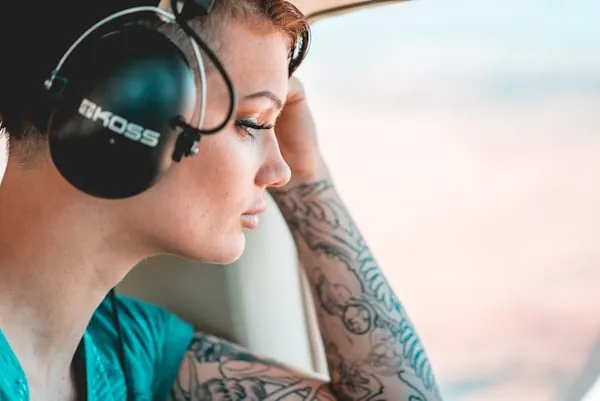
You flip on airplane mode. You grab your wireless headphones. And then some little voice in the back of your head asks: wait, does Bluetooth even work right now? It happens to nearly every traveler. Years of vague airline announcements and outdated advice have left people genuinely confused about what stays connected and what gets killed the second you hit that tiny airplane icon.
Here is the answer, no fluff: yes, Bluetooth works in airplane mode in 2026. The FAA cleared it back in 2013 and has not looked back since. Both iPhone and Android have supported simultaneous airplane mode and Bluetooth since 2018. Over 92% of U.S. airline passengers now use Bluetooth devices inflight, most of them with no idea they were legally allowed to for over a decade. This guide walks you through exactly how it works, what your phone settings actually do, airline-by-airline policies, battery realities, and what to do when things go sideways at 35,000 feet.
Understanding Airplane Mode and Bluetooth Technology
Airplane mode was born in the early 2000s out of legitimate concern. Cellular signals operated on frequencies that, in theory, could mess with flight instruments. So regulators said: phones off, or at least cellular off. That was sensible then. But as aircraft engineering improved and wireless technology evolved into something far more surgical, regulators started loosening the rules. What remained strict was cellular. What got green-lit was nearly everything else.
Bluetooth runs on the 2.4 GHz frequency band using low-power radio waves with a real-world range under 30 feet. Class 3 devices transmit at 1 milliwatt. Class 1 at 100 milliwatts. For context, your cellular radio pushes several watts. That gap is why Bluetooth got approved and 4G LTE did not. The FAA ran testing from 2010 to 2013 across multiple aircraft types and flight phases and found zero measurable impact on navigation, communication, or flight control systems. October 2013 was the green light for Bluetooth during all flight phases, full stop.
What Airplane Mode Actually Does to Your Wireless Radios
Most people think airplane mode is a single on/off switch for everything wireless. It is not. It disables cellular radios completely, yes. But Wi-Fi and Bluetooth get turned off as a default, not a hard lock. You can turn them back on individually while cellular stays dead. GPS does not even care about airplane mode since it only receives signals and never transmits. Your phone is smarter than the average boarding gate announcement gives it credit for.
- Cellular radios kill completely, no voice calls, no mobile data, towers cannot see your phone
- Wi-Fi turns off by default but you can re-enable it for inflight internet on carriers that offer it
- Bluetooth switches off automatically but flips back on the second you tap it, no cellular rules violated
- GPS keeps working because it receives satellite signals without transmitting anything back
- NFC and ultra-wideband stay active on most devices for contactless payments and precise spatial tracking
- Background app refresh pauses which actually helps battery life on longer flights
Most modern smartphones also remember what you did last time. If you manually turned Bluetooth back on during a previous flight, many devices auto-reactivate it the next time you enable airplane mode. One less thing to think about while you are wrestling your carry-on into the overhead bin. Check our rundown of
Most modern smartphones also remember what you did last time. If you manually turned Bluetooth back on during a previous flight, many devices auto-reactivate it the next time you enable airplane mode. One less thing to think about while you are wrestling your carry-on into the overhead bin. While you are prepping for the flight, check out these airport hacks that matter in 2026 so you are not fumbling around at security while your headphones are in.
Why Bluetooth Gets the Green Light While Cellular Stays Banned
| Technology | Transmission Power | Frequency | Flight Approval Status |
| Bluetooth 5.3 | 1 to 100 milliwatts | 2.4 GHz | Approved, all flight phases |
| Wi-Fi 2.4/5 GHz | 10 to 100 milliwatts | 2.4 GHz / 5 GHz | Approved, all flight phases |
| Cellular 4G LTE | 200 to 2000 milliwatts | 700 MHz to 2.1 GHz | Prohibited during flight |
| Cellular 5G | 100 to 1000 milliwatts | Sub-6 GHz / mmWave | Prohibited during flight |
Boeing and Airbus design their aircraft with electromagnetic shielding built into the structure around critical avionics. Flight computers, navigation gear, and communication radios sit in protected environments engineered to laugh at the kind of interference a passenger Bluetooth device could produce. The FAA requires aircraft to withstand interference levels that dwarf what any headphone or watch could emit. The math was never close. International bodies including EASA in Europe and CASA in Australia landed on the same conclusion between 2013 and 2015, which is why you can use your headphones on a London to New York run without the rules changing mid-flight.
How to Enable Bluetooth in Airplane Mode on iPhone
Apple changed the game in September 2017 with iOS 11. Before that update, airplane mode was a blunt instrument. After it, iPhone users could control cellular, Wi-Fi, and Bluetooth as separate radios. You could kill the cell connection without touching Bluetooth. That was the moment wireless headphones on planes stopped being a gray area for iPhone users and became officially seamless.
iPhones running iOS 18 in 2026 also support enhanced automatic device switching, which means your audio routes to whatever device makes sense based on what you are doing without you manually intervening. Switching between headphones and Apple Watch during a flight has never been easier. The system just handles it.
Step-by-Step iPhone Instructions for Bluetooth in Airplane Mode
- Swipe down from the upper right corner on iPhone X or later, or up from the bottom on iPhone 8 or earlier, to open Control Center
- Tap the airplane icon to activate airplane mode. It turns orange to confirm cellular radios are off
- Tap the Bluetooth icon directly in Control Center. It turns blue, Bluetooth is now live despite airplane mode being on
- Alternatively, open the Settings app, tap Bluetooth, and toggle it on while airplane mode stays enabled
- Confirm Bluetooth is active by checking for the Bluetooth symbol in the status bar at the top of your screen
iPhone Bluetooth Range, Limits, and Real-World Performance
iPhones from the 12 model forward run Bluetooth 5.3, which theoretically reaches 800 feet in open space. In a packed airplane cabin with dozens of other Bluetooth devices competing for the same 2.4 GHz airspace, practical range drops to 30 to 50 feet. That is still more than enough to connect headphones in the seat next to you. Your iPhone can technically hold connections to 7 Bluetooth devices at once, though audio only routes to one at a time for most apps.
- Each active Bluetooth device connection adds about 5 to 8% additional battery drain per hour beyond the base airplane mode savings
- Older Bluetooth profiles like HSP and HFP for voice calls may work differently in airplane mode depending on how the carrier built their IFE system
- Modern A2DP for high-quality audio and AVRCP for media control work flawlessly across all iPhone models from the past five years
- The iPhone memory feature for Bluetooth state means you typically only need to manually enable it once across multiple flights
How to Enable Bluetooth in Airplane Mode on Android
Android caught up in August 2017 with version 8.0 Oreo, matching what Apple had just done. Google separated the radio controls so cellular, Wi-Fi, and Bluetooth could each be toggled independently while airplane mode remained active. Every major Android manufacturer has maintained this behavior, though the interfaces look different depending on whether you are using Samsung, Google Pixel, OnePlus, or Xiaomi.
Android 14 added Bluetooth LE Audio support, which brings higher quality wireless audio with meaningfully better battery efficiency. It even supports multiple simultaneous audio streams, so two people can listen to the same content through individual headphones without Bluetooth throwing a fit. That is particularly useful for families or couples on long international flights who want to share a movie without bothering the entire row with speaker audio.
Step-by-Step Android Instructions for Bluetooth in Airplane Mode
- Swipe down from the top of your screen once or twice to open the Quick Settings panel, exact behavior varies by Android version and manufacturer
- Tap the airplane mode icon to enable flight mode. The icon highlights or changes color to confirm cellular is disabled
- Tap the Bluetooth icon in Quick Settings. It activates and shows Bluetooth is on despite airplane mode running
- Alternatively, open the Settings app, go to Network and Internet or Connections depending on your device, then toggle Bluetooth on
- Check your status bar at the top of the screen for the Bluetooth indicator to confirm it is active
Android Device Differences That Actually Matter
| Device Manufacturer | Bluetooth Version | Key Feature | Quick Settings Access |
| Samsung Galaxy (One UI) | 5.3 | SmartThings unified control | Large, easily accessible toggles |
| Google Pixel (Stock Android) | 5.3 | Fast Pair one-tap pairing | Standard Quick Settings panel |
| OnePlus | 5.2 to 5.3 | Dual audio streaming support | Custom notification shade |
| Xiaomi / Redmi | 5.2 to 5.3 | Aggressive power management | MIUI Quick Settings |
Samsung users get the most polished experience because One UI overlays genuinely useful features on top of stock Android behavior. The SmartThings integration pulls all your paired Bluetooth devices into a single management view, which is handy when you are juggling headphones, a watch, and a tablet all at once. Xiaomi and Redmi devices sometimes implement aggressive battery optimization that disconnects idle Bluetooth accessories mid-flight, so check your power settings before you board and disable battery optimization for your headphone app if that has been an issue for you.
Compatible Devices and Accessories That Work in Airplane Mode
Nearly everything Bluetooth works identically whether airplane mode is on or off. That includes headphones, earbuds, smartwatches, fitness trackers, keyboards, mice, and portable speakers. Compatibility problems you might run into usually trace back to device age or software bugs, not anything to do with airplane mode itself. If it connected fine on the ground, it will connect fine at altitude.
Wireless Headphones and Earbuds: The Real Numbers
Wireless headphones are what 78% of passengers reaching for personal audio choose in 2026. Wired has become the backup option, not the default. And with active noise cancellation from Sony, Bose, and Apple cutting cabin noise by 25 to 35 decibels, it is not hard to see why. That is not a minor difference. That is the difference between actually hearing your podcast and just watching the waveforms move while a crying infant and three different engines compete for your attention.
| Headphone Model | Battery Life | ANC Reduction | Airplane Mode Impact |
| Apple AirPods Pro 2 | 6 hours (30 with case) | Up to 29 dB | No difference whatsoever |
| Sony WH-1000XM5 | 30 hours with ANC on | Up to 35 dB | No difference whatsoever |
| Bose QuietComfort Ultra | 24 hours with ANC on | Up to 30 dB | No difference whatsoever |
| Samsung Galaxy Buds2 Pro | 8 hours (29 with case) | Up to 25 dB | No difference whatsoever |
Some airlines now support direct Bluetooth connectivity to their inflight entertainment systems, which is a genuinely nice upgrade. United had 97% of its mainline fleet equipped with Bluetooth IFE by late 2025. Delta, American, and JetBlue rolled out similar features on wide-body international aircraft. Narrow-body domestic planes are still catching up, which is why packing fully charged personal headphones remains essential regardless of what the airline’s website says about their entertainment setup.
Smartwatches, Fitness Trackers, and Inflight Health Tracking
Apple Watch, Samsung Galaxy Watch, Fitbit, and Garmin devices all maintain Bluetooth links to your phone in airplane mode without issue. Notifications come through, music controls work, and fitness tracking continues. One slightly unhinged side effect: some trackers interpret airplane movement and cabin vibrations as steps. You might land with 3,000 to 5,000 extra steps credited to a flight where you sat completely still for six hours. Treat it as a bonus or disable step tracking during flights if accuracy matters to you.
- Apple Watch drains 8 to 12% battery per hour with active Bluetooth versus 5 to 7% in low power mode
- Cellular-equipped watches need their own airplane mode enabled to disable their independent cellular connections
- Long haul flights over 10 hours will likely require charging via portable battery or seat USB to keep watches functional through landing
- Heart rate monitoring, sleep tracking, and SpO2 measurement continue working normally throughout the entire flight
Other Bluetooth Accessories Worth Knowing About
Bluetooth keyboards and mice work perfectly for the business travelers trying to get actual work done mid-flight. Pair your keyboard before takeoff, connect your tablet or laptop, and work the same way you would at your desk. Game controllers including PlayStation DualSense, Xbox controllers, and Nintendo Joy-Cons connect to phones and tablets without complaint. Battery life on most controllers runs 12 to 40 hours, which covers even a Sydney to Dallas run with room to spare.
One important note on portable Bluetooth speakers: they work technically but most airlines explicitly prohibit using them because nobody in row 24 wants to hear your playlist through a speaker. Pack speakers for the destination, not the plane. Headphones are the non-negotiable for personal audio at altitude. If you are planning a long-haul or red-eye and want to maximize your sleep strategy, our guide on how to sleep on overnight red-eye flights using science-backed methods pairs well with a good pair of ANC headphones.
Airline-Specific Bluetooth Policies in 2026
Every U.S. airline permits Bluetooth during all phases of flight. That is not a gray area. Flight attendants almost never mention Bluetooth specifically during safety briefings because there is nothing to warn passengers about. The briefings focus on cellular restrictions and making sure large devices are stowed properly during takeoff and landing. The consistency across carriers is actually one of the more coherent things about air travel policy in the United States.
| Airline | Bluetooth Policy | IFE Bluetooth Support | Announcement During Flight |
| United Airlines | Permitted all phases | Yes, 97% of mainline fleet | Not mentioned specifically |
| Delta Air Lines | Permitted all phases | Wide-body international | Not mentioned specifically |
| American Airlines | Permitted all phases | Expanding rollout | Not mentioned specifically |
| JetBlue | Permitted all phases | Wide-body routes | Not mentioned specifically |
| Southwest Airlines | Permitted all phases | No seatback IFE | Not mentioned specifically |
| European carriers (EASA) | Permitted all phases | Varies by carrier | Varies by carrier |
International carriers are equally consistent. ANA, JAL, Singapore Airlines, Cathay Pacific, and the major European carriers operating under EASA regulations all explicitly allow Bluetooth throughout flights. The signage and announcements vary because different carriers have different safety script formats, but the underlying permission is the same. You can wear your AirPods from the gate door in London to the jetway exit in Singapore without a single crew member having regulatory grounds to ask you to remove them.
Budget carriers that lack inflight entertainment entirely are actually the flights where Bluetooth matters most. Spirit, Frontier, and similar carriers leave entertainment entirely up to passengers. Your Bluetooth headphones connected to your downloaded content are not a luxury on those flights, they are the entire plan. For a broader look at how the budget experience stacks up on a major carrier, our carry-on luggage rules guide for 2026 covers what you can bring aboard on different airline types, which directly affects how you pack your tech setup.
FAA Rules and International Regulations Explained
The Federal Aviation Administration published Advisory Circular AC 91.21-1D in 2013, which is the document that actually governs all of this. It allows airlines to permit Portable Electronic Device usage including Bluetooth during all flight phases, provided the airline demonstrates that such devices do not interfere with aircraft systems. Every major U.S. carrier completed that process years ago. The result is the universal green light you now experience without thinking about it.
EASA issued equivalent guidance in 2014 after running its own independent testing that validated the FAA findings. The International Civil Aviation Organization has since encouraged all member states to adopt similar policies, which is why the rules feel consistent across most of the countries you are likely to visit. For travelers who want to read the source material, the official FAA portable electronic device guidance is publicly available and walks through the technical testing protocols airlines must follow.
What the Regulations Actually Say About Inflight Bluetooth Use
- All U.S. airlines must individually assess and approve PED usage including Bluetooth before permitting it fleet-wide
- Standardized testing procedures exist so that approval does not take years for each new device category
- The regulation permits Bluetooth during all flight phases including takeoff, landing, and cruise
- No specific Bluetooth version restriction exists in the regulations, Bluetooth 5.3 and all prior versions are covered
- International passengers are protected by the ICAO framework ensuring consistent policy across member states
The regulation’s scope also covers emerging wireless technologies. As Bluetooth 6.0 moves toward release in late 2026 or early 2027 with improved interference resistance and centimeter-level positioning, it will fall under existing approvals since the framework evaluates transmission power and frequency behavior rather than version numbers. The regulatory infrastructure is actually more future-proof than people assume.
Battery Life and Power Management in Airplane Mode with Bluetooth
Airplane mode saves 15 to 25% battery by cutting off cellular radios that are constantly pinging towers even when you are not actively using your phone. Enabling Bluetooth on top of that costs 2 to 5% per hour depending on how many devices are connected and how actively they are transmitting. The math still strongly favors airplane mode with Bluetooth over normal cellular operation. You come out ahead on battery even with headphones, a watch, and a keyboard connected simultaneously.
Real Battery Drain Numbers You Can Plan Around
| Connection Setup | Battery Drain Per Hour | Net Effect vs Normal Mode | Long Haul Impact (10 hr) |
| Airplane mode only | 5 to 7% | Saves 15 to 25% | Use 50 to 70% battery |
| Airplane mode + 1 Bluetooth device | 7 to 12% | Saves 10 to 18% | Use 70 to 120% battery |
| Airplane mode + 3 Bluetooth devices | 10 to 17% | Saves 5 to 12% | Need charging mid-flight |
| Normal cellular mode, no Bluetooth | 20 to 30% | Baseline | Full drain in 4 to 6 hours |
Bluetooth 5.3 is dramatically more efficient than earlier versions. Low Energy protocols allow devices to maintain connections while minimizing active transmission time. The difference between a Bluetooth 4.0 device and a Bluetooth 5.3 device is not incremental, it is generational. Your modern AirPods or Galaxy Buds will last the entire flight. Your five-year-old fitness tracker might not.
Screen brightness is actually the biggest battery variable, dwarfing Bluetooth’s impact. Dropping your brightness to 30 to 50% saves more battery than disabling Bluetooth entirely would. If you are genuinely worried about running out of power on a long international trip, pack a portable battery. And before you do, check out what the carry-on luggage rules for 2026 say about power banks and portable chargers, because size and capacity restrictions apply.
Troubleshooting Bluetooth Connection Problems in Airplane Mode
When Bluetooth acts up in airplane mode, the issue almost never has anything to do with airplane mode. Bluetooth either works or it does not based on software state, device compatibility, and local interference. Airplane mode just changed your cellular status. The Bluetooth problems you are seeing on the plane were probably lurking before you boarded. Here is how to actually fix them.
Common Bluetooth Problems and How to Fix Them Mid-Flight
- Forget the Bluetooth device in your phone settings, then re-pair from scratch. Corrupted connection data is the most common silent culprit
- Toggle Bluetooth off and wait 10 full seconds before turning it back on. A complete radio cycle clears more glitches than a quick tap
- Check battery levels on the accessory. Low power modes on headphones and watches trigger automatic disconnections that feel like crashes
- Move your phone physically closer to the headphones. Metal seat frames block 2.4 GHz signals more aggressively than most people expect
- During peak boarding when hundreds of passengers activate devices simultaneously, 2.4 GHz congestion peaks. Give it a few minutes after the cabin settles
- If problems persist across multiple Bluetooth devices, reset network settings on iPhone or Android. This clears the Bluetooth stack entirely
Audio quality issues like stuttering and dropouts almost always trace to signal obstruction or interference rather than any airplane mode interaction. Moving your phone from your bag under the seat to the seat-back pocket in front of you often resolves quality problems instantly. The obstacle path matters a lot when you are dealing with 2.4 GHz signals trying to punch through aircraft seat structures.
When Nothing Works: Backup Plans That Actually Save the Flight
Hardware failures happen. A phone dropped before the airport, headphones squeezed wrong in a checked bag, or a simple dead battery can leave you without wireless audio on a 14-hour flight to Tokyo. Carry a wired headphone cable as insurance. They cost under $10, weigh almost nothing, and fit in any pocket. Most premium wireless headphones include a 3.5mm auxiliary input for exactly this scenario.
If both your wireless and wired options fail, flight attendants sometimes have loaner headphones. Availability is inconsistent and they typically prioritize premium cabin passengers, but asking politely never costs anything. The loaner headphones will be wired and connect directly to the IFE system. You will survive. But you will absolutely go buy a backup cable the moment you land.
Future of Wireless Technology on Commercial Flights
Bluetooth 6.0 is expected to arrive in late 2026 or early 2027 and the most relevant improvement for airplane passengers is better interference resistance in crowded environments. That means the cabin situation where 300 passengers are simultaneously running Bluetooth devices will degrade performance less than it does today. Centimeter-level positioning accuracy is also coming, which opens up genuinely interesting possibilities for inflight tracking and entertainment personalization that airlines are already thinking about.
United, Delta, and American all have fleet upgrade plans targeting full Bluetooth headphone connectivity for inflight entertainment by 2028. The shift away from traditional seatback screens and wired connections reduces aircraft weight, which cuts fuel burn and supports broader sustainability targets. That weight reduction conversation is worth understanding alongside the technology picture. Our breakdown of sustainable aviation fuel versus carbon offsets covers how airlines are actually approaching emissions reduction and whether either approach moves the needle in the way the industry claims.
Ultra-wideband technology is also moving into the cabin conversation. UWB provides precise spatial awareness that Bluetooth cannot match, enabling features like automatic entertainment syncing based on seat position. Apple and Samsung already build UWB into flagship devices. As airlines upgrade their aircraft systems across the next decade, the inflight wireless stack is going to look significantly different from what it does today. Bluetooth will still be there, but it will share the stage.
Flying Connected in 2026: What You Actually Need to Know
There is no technical or regulatory barrier to using Bluetooth in airplane mode in 2026. Not one. The FAA approved it over a decade ago. Every major airline permits it. Both iPhone and Android have supported independent Bluetooth control while in airplane mode since 2018. The confusion that still lingers is a product of outdated announcements and folklore that never got fully corrected, not actual current rules.
Your AirPods, your Galaxy Buds, your Sony headphones, your Apple Watch, your Garmin tracker, your Bluetooth keyboard: all of it works the same in airplane mode as it does on the ground. Enable airplane mode, tap Bluetooth back on, and enjoy the flight. The only thing left to optimize is the rest of your travel experience. Whether you are thinking about upgrading your seat or comparing cabin options, our guide on premium economy versus first class walks through whether the price difference actually delivers a meaningfully different experience.
Preparation beats troubleshooting at 35,000 feet. Charge everything before you leave home. Pack a wired backup. Learn your phone’s Bluetooth settings once, and then the system handles the rest automatically. Ready to make every part of your trip run this smoothly? Browse all our travel guides and aviation tips at TalkTravel.com.
Frequently Asked Questions About Bluetooth in Airplane Mode
Does airplane mode automatically turn off Bluetooth?
Yes, enabling airplane mode switches off Bluetooth by default on most smartphones. But you can turn Bluetooth back on immediately afterward without violating any rules. Both iPhone and Android keep separate controls for cellular, Wi-Fi, and Bluetooth. Once you manually re-enable Bluetooth while in airplane mode, most phones remember that preference and reactivate Bluetooth automatically the next time you enable flight mode.
Can a flight attendant make me turn off Bluetooth?
No. Flight attendants do not have regulatory grounds to require Bluetooth shutdown because the FAA explicitly permits Bluetooth during all flight phases including takeoff and landing. They may ask you to stow your physical device for safety during takeoff and landing, which is reasonable, but disabling Bluetooth specifically is not something they can legally mandate. If you encounter that request, politely explain the FAA 2013 Bluetooth approval.
Will Bluetooth drain my battery faster in airplane mode?
Bluetooth costs 2 to 5% battery per hour when actively connected to a device. Airplane mode saves 15 to 25% per hour by killing cellular radios. You still come out ahead on battery life in airplane mode with Bluetooth enabled compared to running in normal cellular mode. Modern Bluetooth 5.3 devices are efficient enough that headphone connections throughout a 10-hour international flight represent a manageable and predictable power expense.
Do AirPods and wireless headphones work in airplane mode?
Yes. Apple AirPods and every Bluetooth headphone on the market work identically in airplane mode once you re-enable Bluetooth after activating flight mode. Noise cancellation, audio quality, microphone functionality, and all other features remain exactly the same. Some airlines now support direct Bluetooth connections from personal headphones to their inflight entertainment systems, which removes the need for the wired adapters older IFE systems required.
Can I connect my Apple Watch to my iPhone in airplane mode?
Yes. Apple Watch maintains its Bluetooth link to iPhone when both devices have airplane mode on and Bluetooth enabled. Notifications come through, music controls work, and fitness tracking continues normally. If your Apple Watch has cellular capability, enable airplane mode on the watch itself to disable its independent cellular connection, but that does not affect the Bluetooth link to your phone. The same applies to Samsung Galaxy Watch, Fitbit, and Garmin devices.
Why won’t my Bluetooth connect in airplane mode?
The most common reason is simply forgetting to re-enable Bluetooth after turning on airplane mode. Check Control Center on iPhone or Quick Settings on Android to verify Bluetooth is actually on. If it is on but devices still will not connect, try toggling Bluetooth off and on, restarting your phone, forgetting the device and re-pairing, or checking that your accessory has enough battery charge to maintain a connection. Airplane mode itself is not preventing the connection.
Does Bluetooth work the same on international flights?
Yes. EASA in Europe, CASA in Australia, and aviation authorities across most of the world adopted the same Bluetooth approval framework as the FAA between 2013 and 2015. The ICAO’s guidance on portable electronic devices supports this global consistency. Your iPhone or Android device runs Bluetooth identically in airplane mode regardless of which country’s airline you are flying, what city you departed from, or where you are landing. International consistency on this particular policy is one of aviation’s underappreciated wins.
Share
Published by TalkTravel — a community of travel enthusiasts sharing real advice.
Have feedback? Contact our team.
More in Travel Tips & Thoughts

Travel Destination

Travel Destination
5 Days Best Itinerary Tanzania Safari: Complete Guide 2026

Travel Destination
Luxury Travels All Around the World: Elite Agencies & Prices 2026

Travel Destination
How Much is a Trip to Paris for 2: Complete Budget Guide 2026

Travel Destination
Hot Air Balloon Festival Melbourne 2026 Complete Guide

Travel Destination
Cologne’s Long Game:



Travel Destination